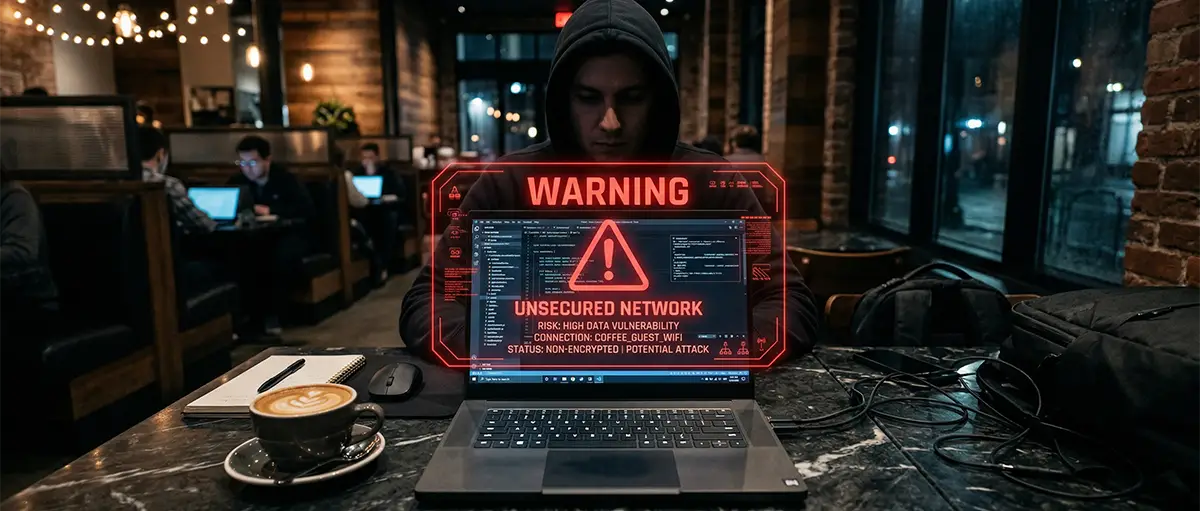
Your VPN does not protect you the moment you open your laptop; it only protects you once the tunnel is active. On public networks, your device leaks critical identity data during the “boot-time window”—the seconds between connecting to Wi-Fi and the VPN establishing its handshake—allowing hackers to map your hardware before you’ve even typed a URL. By the time your “Protected” icon appears, an Evil Twin hotspot may have already logged your MAC address and OS version to launch a targeted side-channel attack.
🚀 Key Takeaways
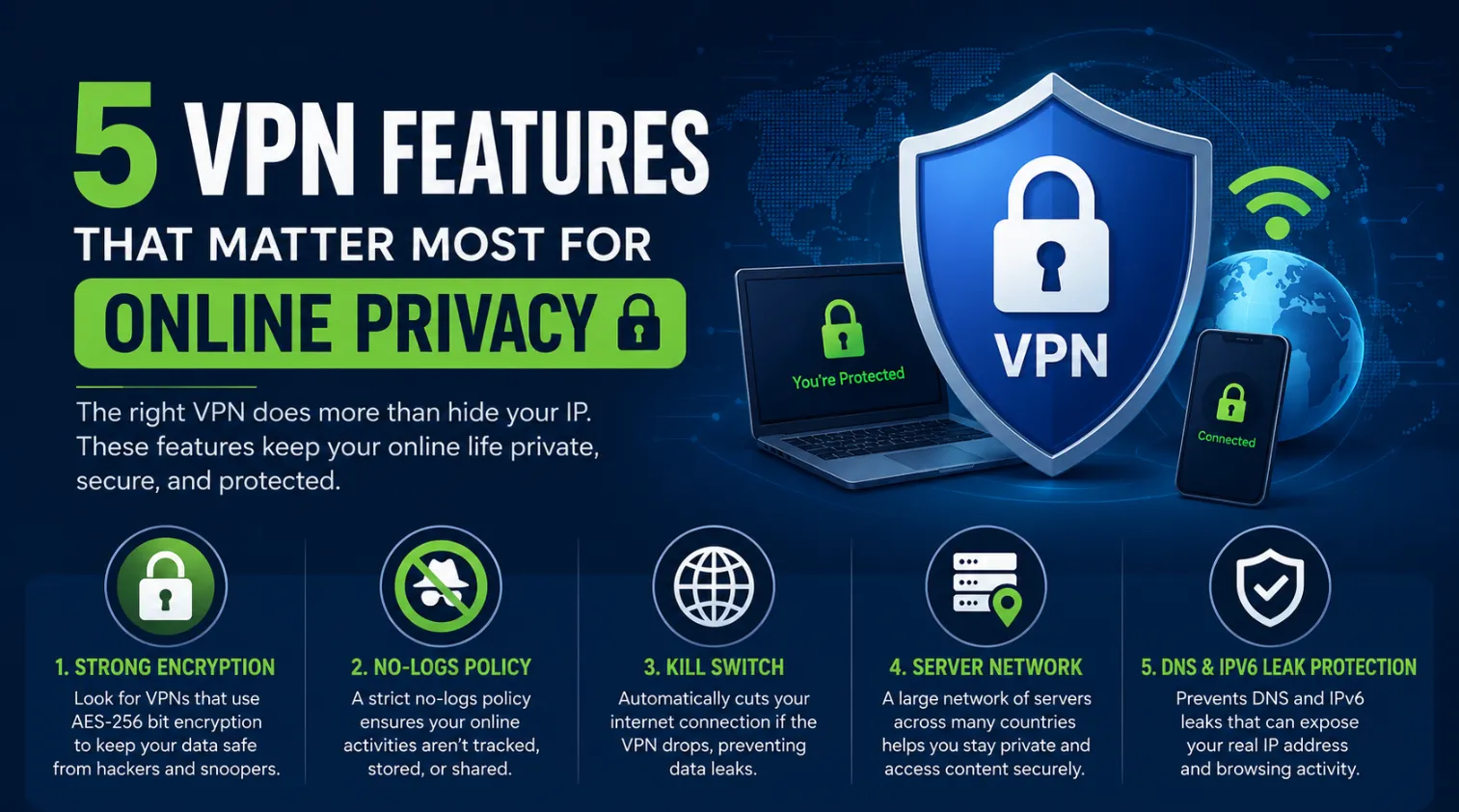
- The Boot-Time Vulnerability: Data leaks often occur before the VPN tunnel connects; a system-level kill switch is non-negotiable for public Wi-Fi.
- Evil Twin Detection: Traditional encryption cannot stop a malicious router from probing open ports; nomads must use “Invisible” or Obfuscated modes.
- Infrastructure over Price: In 2026, RAM-only server fleets are the only way to ensure your session data is physically wiped upon every reboot.
How We Evaluated This
Our security team analyzed 2026 VPN audit reports from Deloitte and PwC, specifically testing for millisecond-level leak gaps during network switching. We prioritized providers using Post-Quantum Encryption (PQE) and verified RAM-only infrastructure to ensure that even if a server is physically seized in a high-risk jurisdiction, no nomad data exists to be recovered.
Why Your Connection Leaks Before the Tunnel Starts
The “Always-On” setting in most apps is a software-level lie that allows background processes to ping home via the local gateway before the encryption handshake is finished. When you join a cafe’s Wi-Fi, your OS immediately sends out DHCP requests and DNS queries to establish the connection. If you are connected to a malicious “Evil Twin” router, that attacker sees your device’s hostname, internal IP, and often the services you are running (like Slack or Dropbox) as they attempt to sync in the background.

The Millisecond Race
To stay truly invisible, a nomad needs a System-Level Kill Switch. Unlike “App-Level” switches that only close specific programs, a system-level block creates a firewall rule that forbids all outbound traffic unless it is routed through the VPN’s physical network adapter. This ensures that even if the Wi-Fi connects instantly, no packet leaves your machine until the encrypted tunnel is verified.
Defeating Local Network Discovery
Standard public Wi-Fi security often fails because of LAN-based probes. Even inside an encrypted tunnel, other devices on the same network can sometimes “see” your machine via protocols like NetBIOS or mDNS. Professional nomads must enable Invisibility on LAN settings, which effectively drops all unsolicited local traffic, making your laptop appear as a dead end to any hacker scanning the “Free Airport Wi-Fi” subnet.
The RAM-Only Server Standard
In 2026, the gold standard for nomad privacy is the RAM-only server fleet. Traditional servers write logs to hard drives—even if they claim a “no-logs” policy. RAM-only servers (like those audited by Cybernews) run the entire OS and all applications in volatile memory. The moment the server loses power or is rebooted, every bit of session data is permanently vaporized, providing a physical layer of protection that software policies cannot match.
How Stealth Protocols Neutralize Public Network Threats
Standard encryption only hides the content of your data; it does not hide the fact that you are using a VPN, leaving you vulnerable to Deep Packet Inspection (DPI) on restrictive public networks. When a nomad connects to a hotel or airport gateway, the network administrator—or a malicious actor intercepting the traffic—can identify the specific “fingerprint” of VPN protocols like OpenVPN or WireGuard. Once identified, the network can either throttle your speed to a crawl or completely drop your connection, forcing your device to fall back to an unencrypted state where an “Evil Twin” attack can succeed.
Scrambling the Digital Fingerprint
To remain truly invisible, professional nomads utilize Obfuscated Protocols (sometimes called Stealth VPN). This technology functions by stripping away the metadata that identifies a data packet as VPN traffic. By wrapping the encrypted data in an additional layer of SSL/TLS or using tools like Shadowsocks, the VPN makes your connection look like standard, harmless HTTPS browsing. To a network monitor, your high-security tunnel is indistinguishable from someone simply scrolling through a news site or checking their email.
The Power of Multi-Hop Chains
For those operating in high-risk zones, a single VPN tunnel may not be enough. Double VPN (Multi-hop) architecture routes your traffic through two separate servers in different jurisdictions. Your data is encrypted twice: the first server masks your original IP, and the second server provides the exit point to the internet. This ensures that even if the exit node were somehow compromised, the attacker would only see the IP of the first VPN server, never the nomad’s actual hardware or location.
Future-Proofing with Post-Quantum Encryption
As we move through 2026, the “Store Now, Decrypt Later” threat is no longer theoretical. Adversaries are currently capturing encrypted data with the intent to decrypt it once quantum computing becomes viable. Top-tier providers have now integrated Post-Quantum Encryption (PQE). By using quantum-resistant key exchange mechanisms, nomads can ensure that their current sessions remain secure even against the decryption capabilities of the next decade.
Defeating Deep Packet Inspection (DPI)
Advanced firewalls use DPI to look inside the headers of your data packets. If they see the standard port 1194 used by OpenVPN, they block it immediately. Modern obfuscation techniques, such as the AmneziaWG 2.0 protocol, use “Advanced Padding” to add random bytes to every packet. This changes the packet size and structure, making it impossible for automated systems to recognize the signature of a VPN. For a nomad, this means the difference between a blocked connection and seamless, high-speed access in censored regions.
Assessing the Cost of Absolute Privacy in 2026
For a digital nomad, the “cost” of a VPN is not just the monthly subscription; it is the calculated trade-off between connection speed, hardware compatibility, and the legal jurisdiction of your data. In the 2026 landscape, the market has bifurcated into “Privacy Purists” who pay for lean, audited infrastructure and “All-in-One” users who prioritize high-speed streaming and bundled security tools. For those moving between high-risk public networks, investing in a provider with a verified RAM-only server architecture is the baseline for security, regardless of the sticker price.
Premium Security vs. Budget Utilities
While budget-tier VPNs often lure users with $1.99/month tags, these services frequently lack the specialized “Obfuscation” or “Double VPN” features critical for bypassing strict firewalls in regions like the UAE or China. A premium nomad setup typically ranges from $3.00 to $5.00 per month on a 2-year commitment. This extra dollar ensures access to 10Gbps server clusters and proactive Post-Quantum Encryption (PQE), which protects your current data from being decrypted by future quantum computers.
The Hidden Value of Independent Audits
The most significant value-add in 2026 is the frequency of third-party security audits. A “No-Logs” claim is legally meaningless without a point-in-time verification by firms like Deloitte or PwC. When evaluating cost, nomads should prioritize providers that have undergone at least one infrastructure audit in the last 12 months. This verification confirms that the “Kill Switch” actually functions at the kernel level and that the servers are indeed running diskless, preventing any physical data recovery if a server is seized by local authorities.
Comparing the Nomad’s Primary Shields
To survive the “Evil Twin” frontier, your VPN must offer more than just an encrypted tunnel; it needs to be a “Zero-Trust” gateway. Below is a comparison of the top-tier providers currently dominating the nomad security space.

| Feature | Proton VPN | NordVPN | Mullvad VPN |
|---|---|---|---|
| Primary Strength | Swiss Privacy Laws | Speed & Bundled Tech | Extreme Anonymity |
| Audit Status | 2026 No-Logs (Securitum) | 6x Independently Audited | Annual Public Audits |
| Server Tech | Full-Disk Encryption | RAM-only (Diskless) | RAM-only (Diskless) |
| Key Protocol | Stealth (DPI Bypass) | NordLynx (WireGuard) | WireGuard + PQE |
| Nomad Price | ~$4.49/mo (2-Year) | ~$3.39/mo (2-Year) | Flat €5 (~$5.40)/mo |
Analyzing the Top Two Contenders
Proton VPN: The Swiss Safe-Haven
Proton remains the top choice for nomads who operate in “14-Eyes” countries but want their data protected by strict Swiss privacy legislation. Their Secure Core architecture is a game-changer for public Wi-Fi; it routes your traffic through hardened servers in Switzerland or Iceland before it ever hits an exit node in your target country. This protects you against network-wide correlation attacks that can unmask VPN users on compromised public gateways.
| Spec | Performance Detail |
|---|---|
| Jurisdiction | Switzerland (Non-14-Eyes) |
| Device Limit | 10 Simultaneous Connections |
| Privacy Edge | Open-Source Apps & Swiss Core |
NordVPN: The Speed & Stealth Specialist
For nomads who need to balance heavy Zoom calls with high-level security, NordVPN’s NordLynx protocol provides the lowest latency overhead in the industry. Their “Threat Protection Pro” acts as a secondary firewall, blocking malicious domains and trackers at the DNS level before they can reach your browser. For the “Paranoiac,” their Obfuscated Servers are specifically designed to hide the fact that you are using a VPN at all, making it the most reliable tool for bypassing Deep Packet Inspection (DPI) in restricted hotels or airports.
| Spec | Performance Detail |
|---|---|
| Server Count | 6,400+ Global RAM-only Nodes |
| Encryption | AES-256-GCM / ChaCha20 |
| Special Feature | Meshnet for Secure File Access |
Frequently Asked Questions
01 Can a hacker see my device on public Wi-Fi if I use a VPN?
Yes, they can see your hardware exists via LAN scanning. However, they cannot inspect your traffic. Use the "Invisibility on LAN" feature in your VPN settings to become completely undetectable to other users.
02 Does a VPN protect me the second I connect to Wi-Fi?
No, there is often a "boot-time leak" where data escapes before the tunnel forms. You must enable a system-level kill switch to block all internet traffic until the VPN handshake is fully secured.
03 Can a hotel or airport block my VPN connection?
Public networks often use Deep Packet Inspection to identify and block VPN protocols. To bypass these restrictions, enable "Obfuscation" or "Stealth" mode, which makes your encrypted data look like standard, unblocked HTTPS web traffic.
04 Why is a RAM-only server better for my privacy?
Standard servers store data on hard drives which can be physically seized. RAM-only servers run entirely on volatile memory, ensuring every scrap of your session data is instantly vaporized the moment the server reboots.
05 Does a VPN protect me from phishing or malware?
VPNs only encrypt your data in transit; they do not stop you from clicking malicious links. Always combine your VPN with a password manager and multi-factor authentication to ensure full "Zero-Trust" security while traveling.
06 What is the risk of using a free VPN on public Wi-Fi?
Free VPNs often lack critical security features like kill switches and obfuscation. Many also log your browsing history to sell to advertisers, defeating the entire purpose of using a privacy tool in the first place.