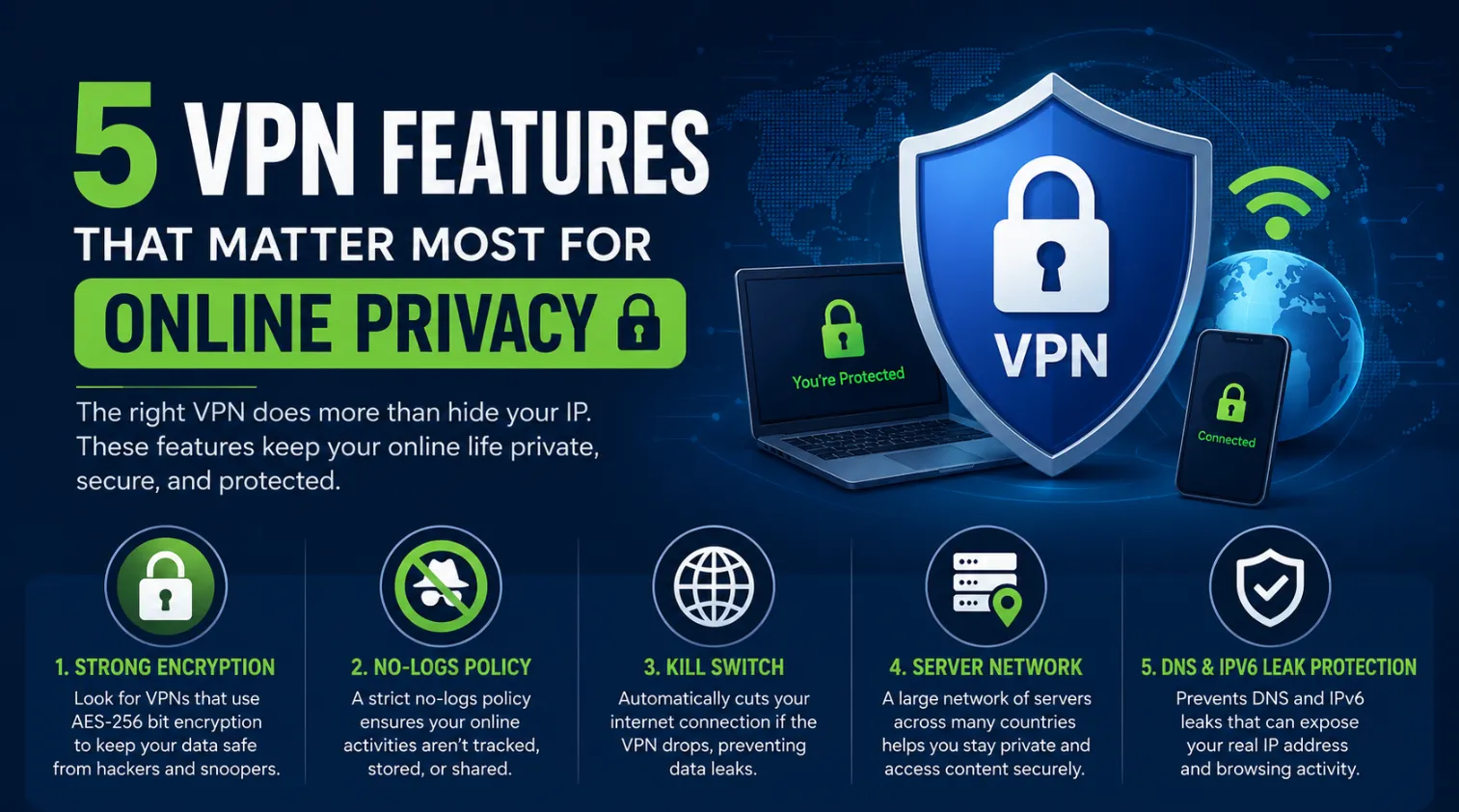

The best VPN for gaming in 2026 must offer sub-20ms latency and specialized protocols like Lightway to eliminate ISP throttling and packet loss. By rerouting your traffic through optimized global nodes, a premium VPN can actually reduce your ping in congested network environments.
🚀 Key Takeaways
- Latency is King: In 2026, the Lightway Protocol remains the industry gold standard for maintaining high-speed throughput without the overhead of traditional encryption.
- ISP Throttling Bypass: Premium VPNs prevent “bandwidth shaping” during peak gaming hours, ensuring your fiber or 5G connection remains uncapped.
- DDoS Immunity: Gaming-centric servers now feature integrated DDoS Mitigation at the hardware level, protecting streamers and competitive players from targeted attacks.
Why Modern Gamers Require Dedicated Network Encryption
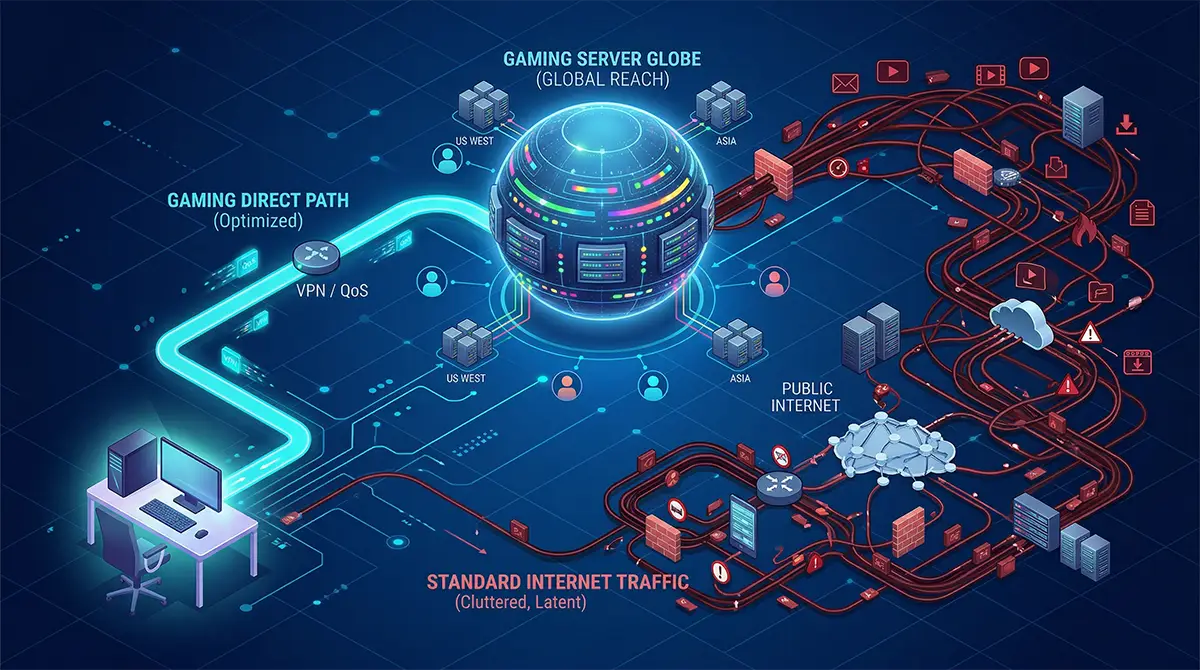
A gaming VPN acts as a high-speed tunnel that bypasses public internet congestion to provide a direct route to game servers. While many believe a VPN always slows down a connection, the reality in 2026 is that specialized routing can often find a shorter path between your home and the data center than your local ISP.
Combatting Intentional Bandwidth Throttling
Many internet service providers utilize deep packet inspection to identify high-bandwidth activities like gaming or streaming. Once detected, they may artificially limit your speeds to preserve network capacity. By using a VPN, your traffic is encrypted, making it impossible for the ISP to distinguish between a casual web search and a high-stakes match of Valorant. This ensures you get the full speed you pay for.
Eliminating Packet Loss and Jitter
Packet Loss occurs when data “drops” before reaching its destination, causing the dreaded “rubber-banding” effect. Using a high-tier provider allows you to jump onto a private backbone. These networks are managed specifically to reduce Jitter—the variance in time between data packets—providing a buttery-smooth experience even on international servers.
Security Against Personal Cyber Attacks
As competitive gaming grows, so does the risk of “IP stressing” or DDoS attacks. A gaming VPN masks your true IP address behind a hardened server. If an opponent tries to flood your connection, the VPN server absorbs the hit, leaving your home network untouched and your match uninterrupted.
The Mechanics of Lowering Latency with Optimized Routing
The primary goal of a gaming VPN is to minimize the physical and digital distance between your device and the game server. By selecting a server location closest to the game’s host, you create a dedicated path that avoids the “hops” through unoptimized public switches that typically increase your millisecond count.
The Power of the Lightway Protocol
In 2026, the Lightway Protocol has surpassed OpenVPN as the preferred choice for gamers. Unlike older protocols that are bogged down by thousands of lines of code, Lightway is lean and purpose-built for speed. It establishes connections instantly and maintains them even if your network flips between Wi-Fi and 5G. This efficiency directly translates to lower overhead and more consistent frame rates.
Utilizing Split Tunneling for Performance
Split Tunneling is a crucial feature that allows you to choose exactly which applications use the VPN. You can route your game traffic through the encrypted tunnel for low ping while letting your web browser or Discord run on your local connection. This prevents unnecessary encryption of background tasks, dedicating all available VPN bandwidth to your primary objective: winning the game.
Hardware Integration and Meshnet Technology
For console players on PS5 or Xbox Series X, native VPN apps are often unavailable. The solution in 2026 involves VPN Routers or Meshnet technology. By installing the service at the router level, every device in your home benefits from low-ping routing. Some providers now offer “Aircove” style hardware that comes pre-configured, removing the technical barrier for console enthusiasts.
Expert Recommendation: If you are tired of losing matches to lag, ExpressVPN offers the most stable gaming infrastructure in 2026. Their proprietary Lightway protocol is specifically engineered to handle the high-frequency data exchanges required by modern shooters and MOBAs, making it the most reliable tool for reducing your ping today.
Detailed Comparison of Financial Factors and Value
Investing in a gaming VPN requires balancing the monthly subscription cost against the performance gains and security features provided. While free VPNs exist, they often sell user data or impose strict bandwidth caps that make them unusable for modern titles like Call of Duty or Apex Legends.
Subscription Tiers and Long-Term Savings
Most top-tier providers offer significant discounts for 12-month or 24-month commitments. When analyzing the cost, consider the “cost per millisecond.” A cheaper VPN that only saves you 5ms is less valuable than a premium service that cuts your ping by 30ms and provides DDoS Mitigation.
| Plan Duration | Average Monthly Cost | Key Value Add |
|---|---|---|
| 1-Month Plan | $12.95 - $15.00 | Best for testing specific regional events. |
| 1-Year Plan | $6.67 - $8.33 | Standard balance of price and performance. |
| 2-Year Plan | $3.29 - $4.99 | Lowest entry point; often includes 3 free months. |
| Dedicated IP Add-on | +$3.50/mo | Essential for streamers to avoid \"IP Blacklisting.\" |
Evaluating the Return on Investment
The “value” of a VPN isn’t just in the speed; it’s in the access. If a VPN allows you to play on overseas servers with friends or access regional game stores where titles are 30% cheaper, the service effectively pays for itself within a few months. Furthermore, the protection against identity theft and swatting adds a layer of “digital insurance” that is hard to quantify but essential for high-profile gamers.
Evaluating Top Rivals: ExpressVPN vs. NordVPN
To choose the right tool, you must compare how the leading providers handle the specific demands of high-speed gaming. While both are industry leaders, their internal architectures prioritize different aspects of the gaming experience.
ExpressVPN: The Precision Specialist
ExpressVPN focuses on “frictionless speed.” Their network is built on 10Gbps servers that utilize RAM-only volatility for maximum security. For a gamer, this means the server never gets bogged down by old data logs, ensuring a “clean” pipe for your traffic.
| Feature | ExpressVPN Spec |
|---|---|
| Primary Protocol | Lightway (Proprietary) |
| Server Locations | 105 Countries |
| Router Support | High (Custom Firmware) |
| Gaming Stability | Exceptional (Low Jitter) |
NordVPN: The Feature-Heavy Alternative
NordVPN utilizes the NordLynx protocol (based on WireGuard). It excels in “Meshnet” capabilities, allowing you to create a virtual LAN party with friends across the world. This is perfect for older titles that require local network connections to play together.
| Feature | NordVPN Spec |
|---|---|
| Primary Protocol | NordLynx (WireGuard) |
| Server Locations | 60+ Countries |
| Unique Feature | Meshnet / Double VPN |
| Gaming Stability | High (Fast Burst Speeds) |
Frequently Asked Questions
01 Can a VPN actually lower my ping in games?
Yes, a VPN can lower ping if your ISP uses inefficient routing. By connecting to a VPN server closer to the game host, you bypass congested nodes and find a faster path.
02 Will I get banned for using a VPN in Warzone or Valorant?
No, using a VPN for privacy or speed is generally not bannable. However, using one to bypass regional pricing or to cheat will violate terms of service and result in a ban.
03 What is the fastest VPN protocol for gaming in 2026?
The Lightway protocol is currently the fastest for gaming purposes. It offers the lowest latency and connects nearly instantly, ensuring your connection remains stable even during intense, high-action gameplay sessions.
04 Is a free VPN good enough for competitive gaming?
No, free VPNs are unsuitable for gaming due to strict limits. They often have high latency, bandwidth caps, and crowded servers, which will significantly increase your lag and cause frequent disconnections.
05 How do I install a VPN on my PS5 or Xbox?
You should install the VPN on your router for console gaming. This protects every device in your home and allows your console to benefit from optimized routing without needing a native app.